My Story Features Dashboard Game Modes FAQ
Built by a Teacher · Loved by Children · Designed for Schools

Real MTC Practice That Mirrors the Official Test

A Multiplication Tables Check practice tool I built for my own classroom, now ready for its first pilot schools. It matches the official Year 4 format exactly – same timing, same question style, same everything – with complete data tracking, progression stats, and game modes that make times tables something children genuinely want to practise.

Interactive Demo
Star
Test 8
Moon
Test 11
Cloud
Test 6
Comet
Test 9
Click me!
You
Test 11
Panda
Test 7
🏆 Leaderboard
1. Moon2847
2. Star1456
3. Comet892
Mr Sear

Made by a Teacher, for Teachers

Mr Sear MTC started as a tool for my own Year 4 classroom. I couldn’t find anything that actually matched the real MTC format, let me track what each child needed to work on, and kept pupils engaged enough to use consistently throughout the year. So I built one.

The difference was immediate. Children fell in love with it – especially the game modes – and progression came quickly because they were only practising the tables they were actually working on, instead of being overwhelmed by everything up to 12×12. The detailed stats meant I could see exactly which tables each child was struggling with and plan targeted support.

Now I’m looking for pilot schools to help me refine it further. It works brilliantly beyond Year 4 too – whether children are building foundation skills or sharpening their speed and fluency. If your school is interested in being one of the first to try it, I’d love to hear from you.

Interested, or just want to ask a question? Get in touch – info@mrsearmtc.uk

Why Schools Need Better MTC Practice

Common Problems

  • Lots of MTC tools don't actually look like the official MTC – children practise times tables, but not really the test itself
  • Every child gets tested on all tables up to 12×12, regardless of where they're actually at
  • Repetitive practice leads to disengaged pupils
  • It's hard to track who's practised and how they did

How This App Solves Them

  • Matches the official MTC format exactly – 25 questions, 6 seconds each, 3 second break between questions
  • Teachers assign children to test levels based on which tables they're learning – so a child working on 2s, 5s and 10s only gets those tables, not everything up to 12×12
  • Children build fluency at their level before moving up, all while practising in authentic MTC format
  • Game modes add timed competitions and class goals – same format, same timing, but children actually want to do it
  • Live classroom view and detailed progression data show you exactly where each child is at and which tables they're struggling with

Built for Real Classrooms

Three modes, each designed for a specific purpose – plus the features teachers actually need.

Practice Mode showing instant answer feedback

Practice Mode

Children work at their assigned test level and can practise as many times as they want. They see answers instantly after each question, so they can learn as they go. Great for home practice or working with a multiplication mat.

Test Mode with test conditions and tick marks

Test Mode

Children take a test once under test conditions, then get a tick next to their name. No instant answers, no retakes. Teachers download the results to decide if children are ready to move up. Proper assessment data.

MTC Mode matching the official Multiplication Tables Check

MTC Mode

Exactly like Test Mode, but temporarily puts everyone on Test 11 – the official MTC with all tables mixed together, just like the real check. See how the whole class would perform in the actual test.

Why the separate tabs matter: Each mode tracks its own statistics. If a child gets help during Practice Mode, it won't skew their actual test data – so you always know their true performance level.

Simple, Secure Login

Teachers generate a class login code and print individual PINs. Children see a seating chart where everyone else's name shows as "Panda" or "Comet" for security. Their own seat glows so they can click and start.

Game Modes Children Love

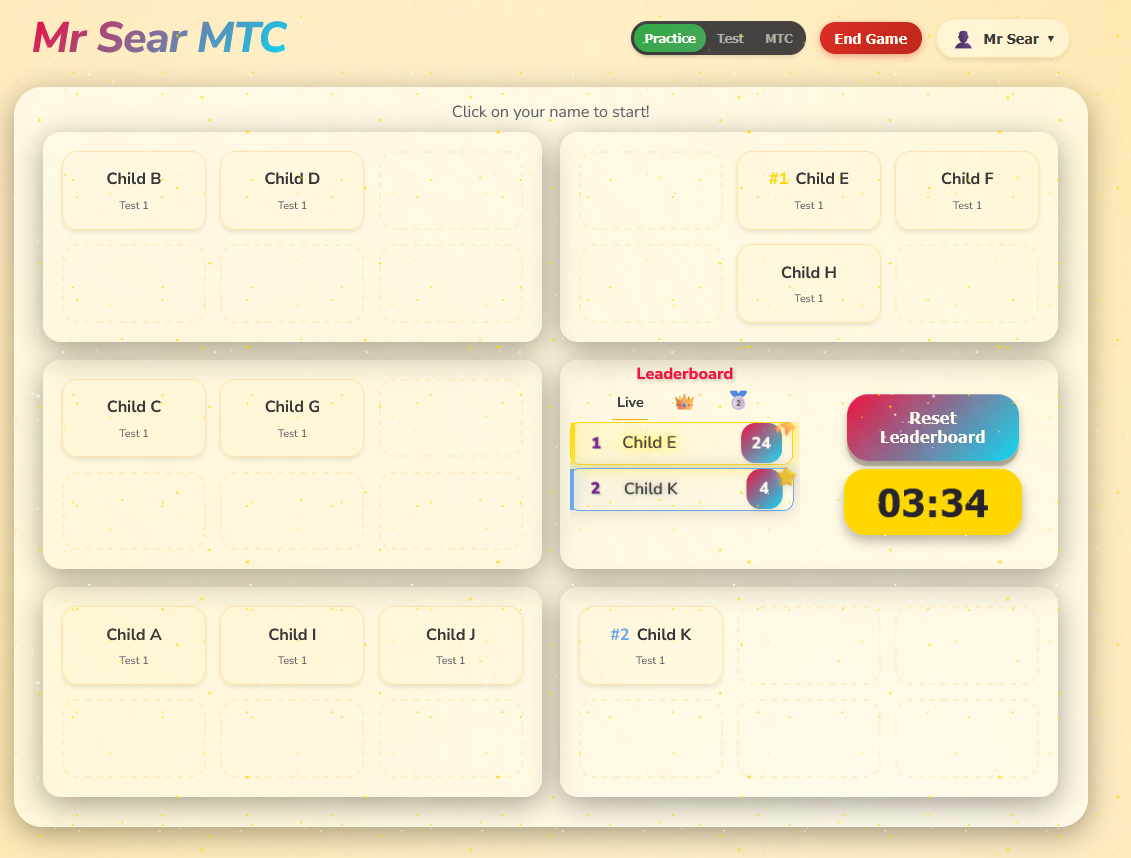
Raid Boss, Red vs Blue, Battle for the Crown – the reason children ask to do times tables instead of avoiding them. Three leaderboards tracking it all – Live, Crown and Medal.

See Progress Instantly

Watch your classroom in real time. See who's practising, who's finished, and download detailed results for assessment or reports whenever you need them.

Privacy First

GDPR compliant – just first names and test scores. No emails, no personal details, no third-party tracking. Works in any browser with no apps to install.

School Dashboard

School leaders get a complete overview of MTC progress across the entire school.

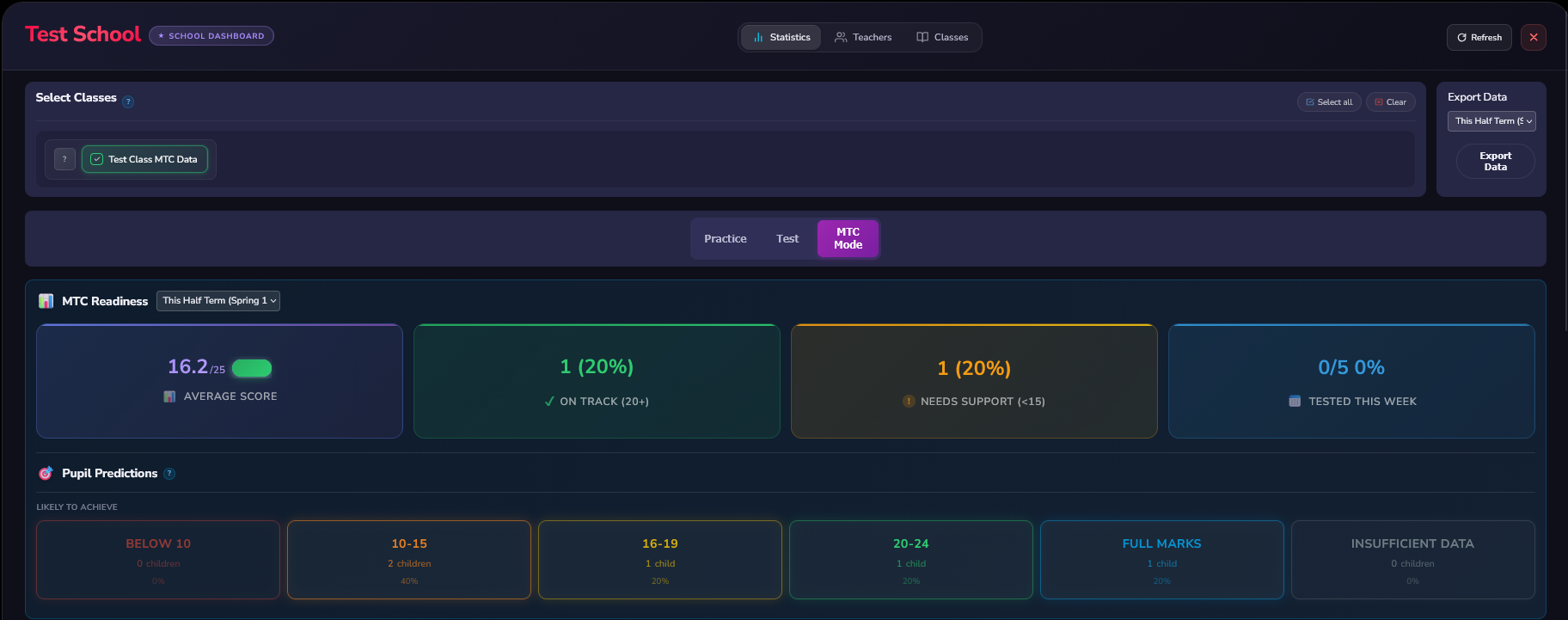
School dashboard showing MTC readiness overview with average scores, predictions, and support needs
Overview

MTC readiness at a glance – average scores, predictions, and who needs support

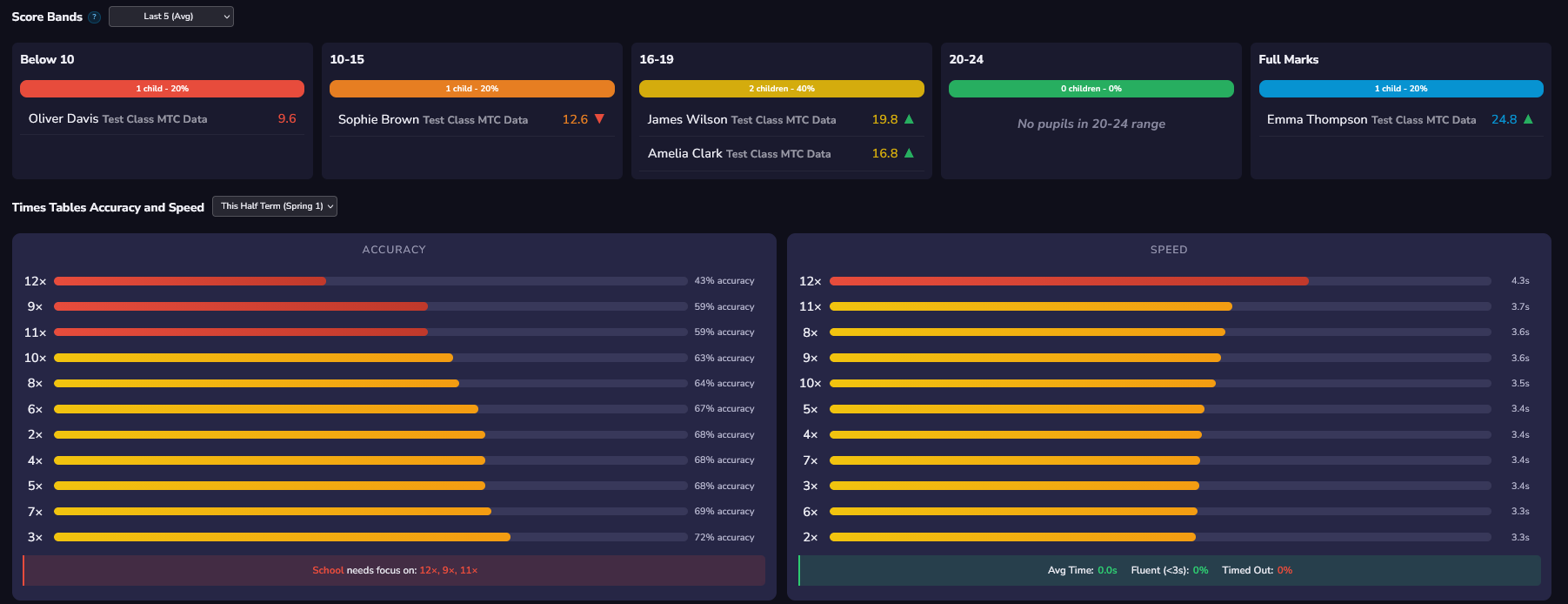
Score bands showing pupil distribution and times tables accuracy and speed breakdown
Breakdown

Score bands, accuracy by times table, and speed data across the school

What School Leaders Can See

The dashboard shows you MTC readiness across your school – average scores, how many children are on track for 20+, and who needs extra support. You can see predictions for each child based on their current performance, so you know who's likely to hit full marks and who might struggle.

Detailed Breakdowns

Children are grouped into score bands (below 10, 10–15, 16–19, 20–24, full marks) so you can quickly identify where support is needed. You'll see which times tables the whole school – or individual classes – are finding tricky, plus accuracy and speed data for each table.

Track Progress Over Time

Compare performance between half-terms to see if interventions are working. The dashboard shows you trends so you can celebrate improvements and spot issues early.

Export Everything

Download detailed data whenever you need it for reports, governors' meetings, or planning interventions. All the statistics are there – you just pick what you want to export.

Want to see it in your school?

Get in Touch

Game Modes That Work

Turn "we have to do times tables" into "can we play Raid Boss?"

Teachers activate game modes whenever they want, set a countdown timer, and let children play. At the end, everyone sees the results – leaderboards, whether they succeeded, who contributed most. All game modes follow the same MTC format: 25 questions, 6 seconds each, 3 second break.

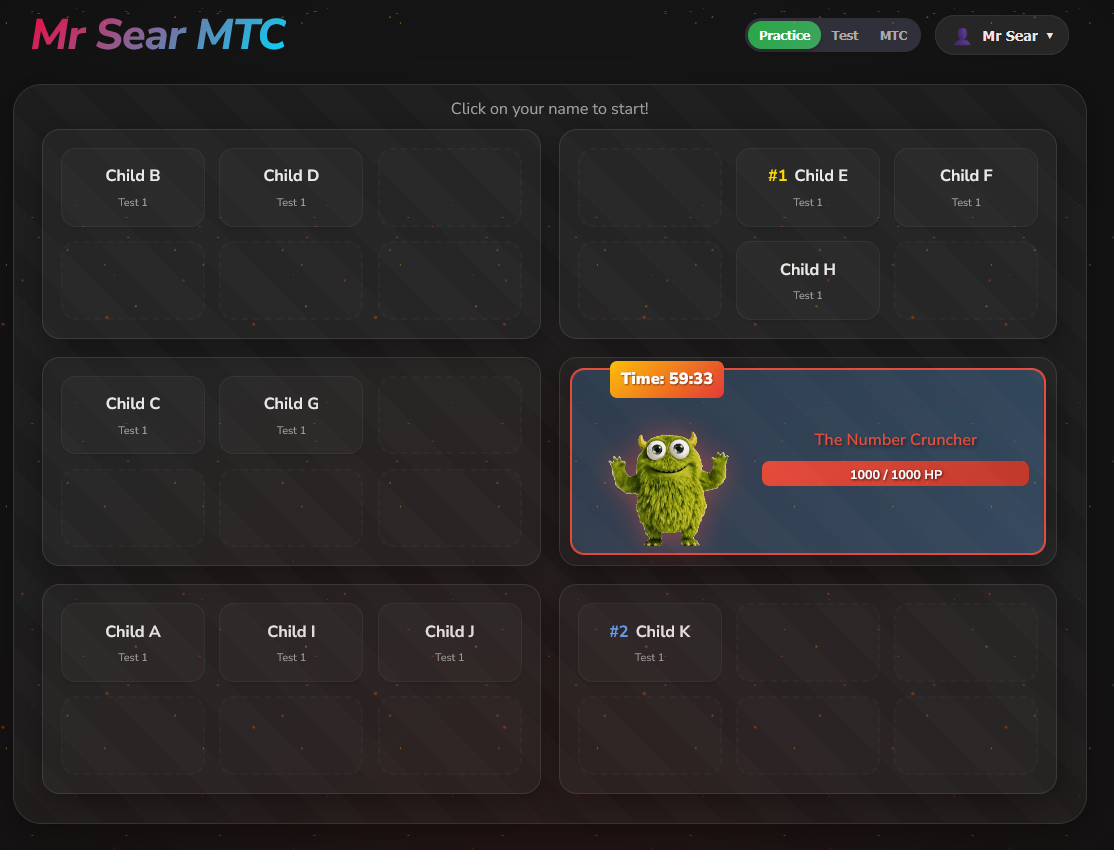
Raid Boss game mode showing The Number Cruncher monster with health bar

Raid Boss

The whole class works together against the clock. Children work at their own test levels, but every correct answer collectively damages the boss. Beat the boss before time runs out. Teachers can also combine this with MTC Mode so everyone's tackling the same questions.

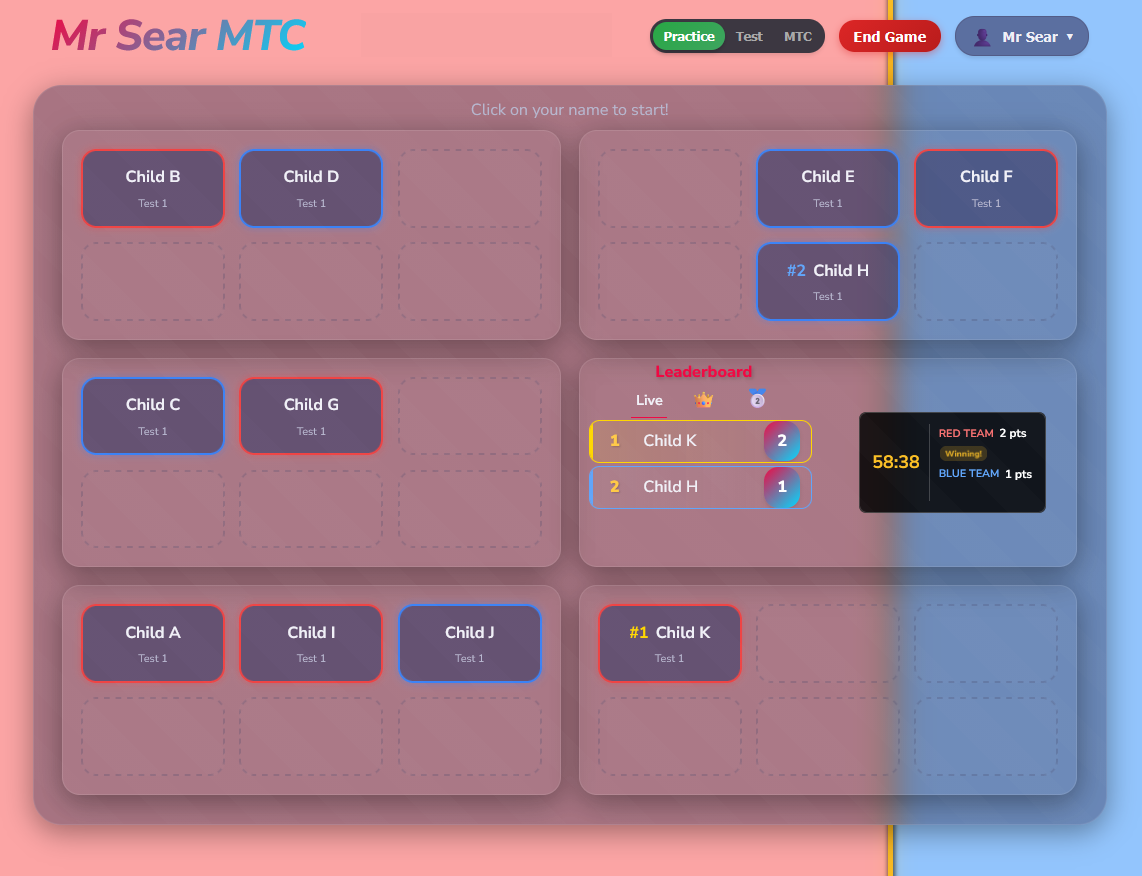
Red vs Blue game mode with teams competing on split red and blue background

Red vs Blue

Split into teams and compete. Children still work at their test levels. The background shifts based on who's winning. Teachers can auto-assign teams based on ability to keep it fair, or manually choose teams themselves – even switching children between teams while the game's running.

Battle for the Crown game mode with golden theme and countdown timer

Battle for the Crown

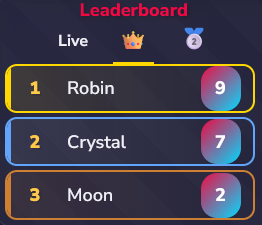
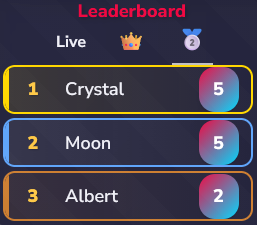
Individual competition with a countdown. Top performers earn a crown icon displayed next to their name on the seating chart for everyone to see (though other children's names still show as "Panda" or "Comet" for security). Come second and you get a medal. Keep your crown until the next Battle.

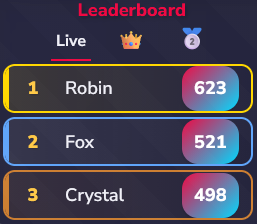
Three Leaderboards: Children can switch between Live, Crown and Medal leaderboards any time – but they only see their own name, everyone else shows as anonymous animals or objects.

Live leaderboard showing current scores Live
Crown leaderboard tracking crown wins Crown
Medal leaderboard tracking medal counts Medal

Frequently Asked

How much does it cost?

Currently free for pilot schools. We’ll introduce school subscriptions once we’re confident everything works brilliantly. Every feature is included – no “premium” tiers or locked content.

Does it match the official MTC?

Exactly. 25 questions, 6 seconds each, with the same table weighting the STA uses. Children get familiar with the real format.

What devices does it work on?

Any device with a web browser. Tablets, laptops, Chromebooks, phones. No app to install.

What data do you collect?

Just first names and test scores. No emails, no personal details, no third-party tracking. We take children's privacy really seriously.

How does it work as a whole-school tool?

Mr Sear MTC is designed as a whole-school product. A school lead (maths lead, headteacher, whoever’s in charge) sets up the school in about 5 minutes and has total control. They invite teachers, who can then add their own classes. The school lead can view any class and see stats across the whole school – perfect for tracking MTC readiness at a leadership level.

Can I use it for homework?

Absolutely! The Practice tab is designed for exactly this. Give parents the class code and website, and children can practise at home. You'll see all their results in your dashboard.

Be one of the first schools to try it

I’m looking for schools who want to shape something from the ground up. If that sounds like you, I’d love to talk.

Get in Touch